Rate Limits and Backoff: Staying Inside the Lines Without Losing Work
Every API you call has limits. An automation that ignores them gets blocked, and one that handles them badly drops work. Pacing and backoff solve both.
Almost every service an automation talks to limits how fast it can be called. Email providers cap sends, APIs cap requests per minute, and scrapers get blocked if they move too quickly. Those limits are not bugs to work around. They are part of the contract.
An automation that does not respect them fails in two ways. It gets throttled or banned, and when it is throttled it often handles the rejection badly, dropping work or retrying so aggressively that it makes things worse. Handling limits well is mostly about pacing yourself and reacting sensibly when you are told to slow down.
Know the limits you are working against
Limits come in several forms, and they are not always documented clearly. Requests per second or minute, a daily quota, a cap on concurrent connections, a limit per account or per key, and limits on payload size or result counts are all common.
Some limits are hard and some are soft. A hard limit returns an error. A soft limit may quietly degrade your standing: a sending account that exceeds sensible volume may be flagged long before it is blocked. Those soft limits are business rules you enforce yourself, which is the point made in email outreach at scale: the scheduler has to check them before sending, not wait to be refused.
Pace yourself instead of waiting to be told
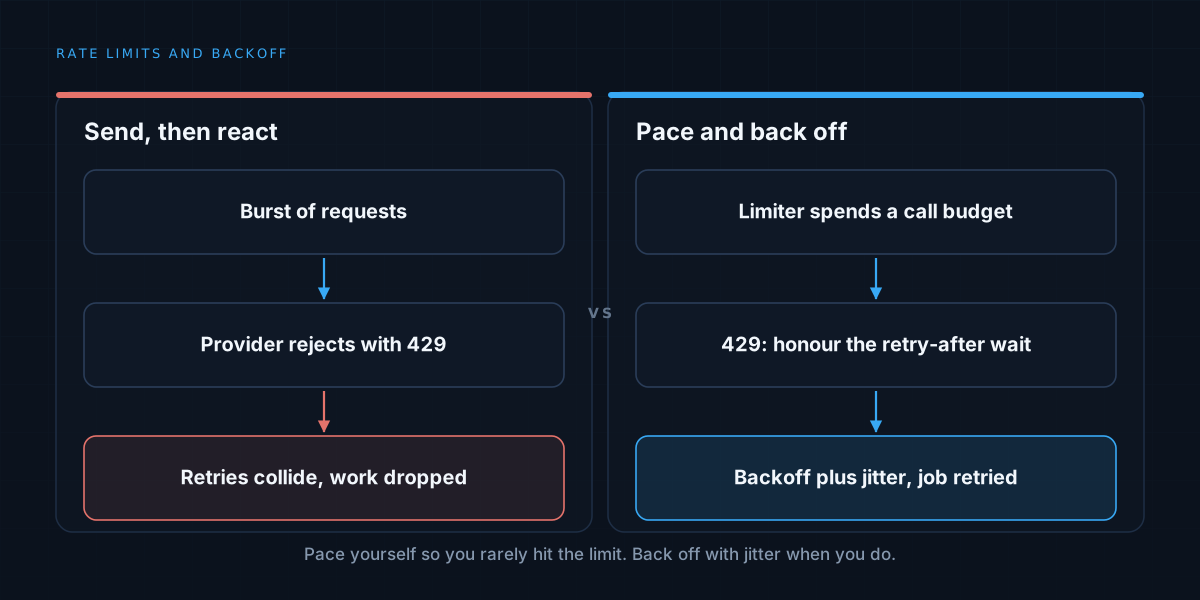
The simplest approach is to send as fast as possible and react to rejections. It works until it does not, and it wastes capacity on requests that were always going to fail.
Better to pace deliberately. Keep a limiter in front of each external service that knows its rate and spends a budget of calls across the window. Requests that would exceed it wait their turn. This keeps you comfortably inside the limit, smooths the load, and avoids ever hitting the wall in the normal case.
The limiter should be per service and, where the limit is per account, per account. A shared limiter that treats every destination the same will either be too strict or too loose.
Treat a rate-limit response as information
When a service does reject you, the response usually carries useful detail. A “too many requests” status often comes with a header saying how long to wait. Honour it. That is the provider telling you exactly when to try again, and it is a better guide than any guess.
Treat these rejections as transient. They do not mean the job is bad; they mean it is early. The job should be retried, not discarded, which separates it from permanent failures that belong in a dead-letter queue.
Back off, and add jitter
When no wait time is given, retry with exponential backoff: wait a short time, then twice as long, then twice that, up to a ceiling. The growing delay gives an overloaded service room to recover.
Add randomness, known as jitter. Without it, many clients that were rejected at the same moment retry at the same moment, and the burst repeats. Spreading the retries over a window breaks the synchronisation and is one of the cheapest reliability improvements available.
Put a cap on the total attempts and the total waiting time, so a persistent problem eventually surfaces instead of retrying indefinitely.
Keep retries safe
Retrying after a rate limit means the same request may be sent more than once, especially if a timeout left you unsure whether the first attempt landed. That makes the idempotency discipline in idempotent automation essential: each unit of work needs a stable key so a repeat does not create a duplicate.
Do not let one slow service stall everything
If a single rate-limited destination blocks a shared worker, everything behind it waits. Isolate work by destination, using separate queues or concurrency limits per service, so a throttled provider slows only its own jobs. Pair it with timeouts, so a stuck call releases its worker.
Use the quota deliberately
When the limit is a daily or monthly budget, treat it like money. Decide how it is divided between jobs, reserve capacity for high-priority work, and stop or defer low-priority work as the quota runs down. Track consumption so you can see it coming. Running out unexpectedly at midday is a design failure, not bad luck.
Be a good neighbour
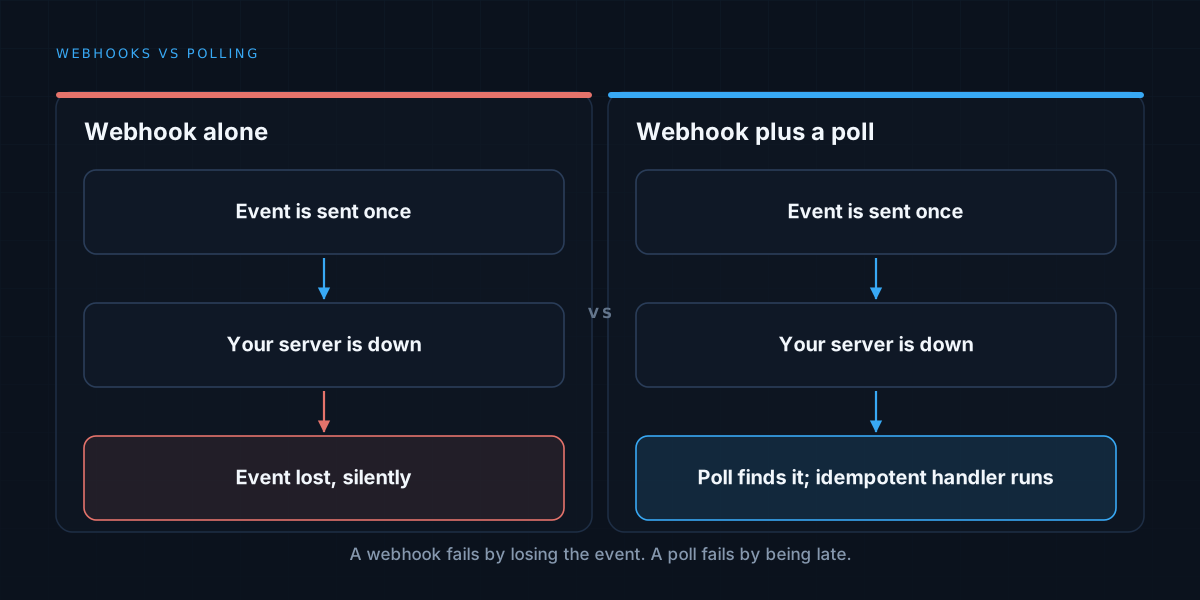
Limits exist to protect shared infrastructure, and scraping or hitting an API harder than intended can get you blocked or worse. Where a service offers bulk endpoints, webhooks, or caching, use them. Fewer, larger, smarter calls beat many small ones, a trade-off that also shapes the choice in webhooks vs polling.
We build automation that respects the systems it depends on. See how we approach workflow automation, or read about durable pipeline design.