Email Triage Automation: Taming a Shared Inbox Without Losing the Important Message
A shared inbox buries the urgent message under the routine. Automatic sorting, routing, and drafted replies help, as long as nothing important is ever silently filed away.
A shared inbox is one of the most common sources of quiet operational pain. Messages from customers, suppliers, and partners arrive in one place, several people glance at it, and each assumes someone else has dealt with the one that matters. Things get answered twice, or not at all.
Automation can help a great deal here, but the goal is specific. It is not to answer email automatically. It is to make sure every message reaches the right person, in the right order of urgency, with as much of the routine work done as is safe. The risk to design around is the important message that gets filed away unseen.
What triage actually means
Triage is sorting by need. For each incoming message the system answers a few questions: what kind of message is this, how urgent is it, who should handle it, and does it need a reply at all.
The kind of message is usually a small set: a new enquiry, a support request, an invoice or payment matter, a scheduling request, a complaint, an automated notification, or noise. Urgency is a combination of content, sender, and deadlines mentioned in the text. Routing depends on both, and on who is available.
Done well, this turns an undifferentiated stream into queues that match how the team actually works.
Classify first, with a safety net
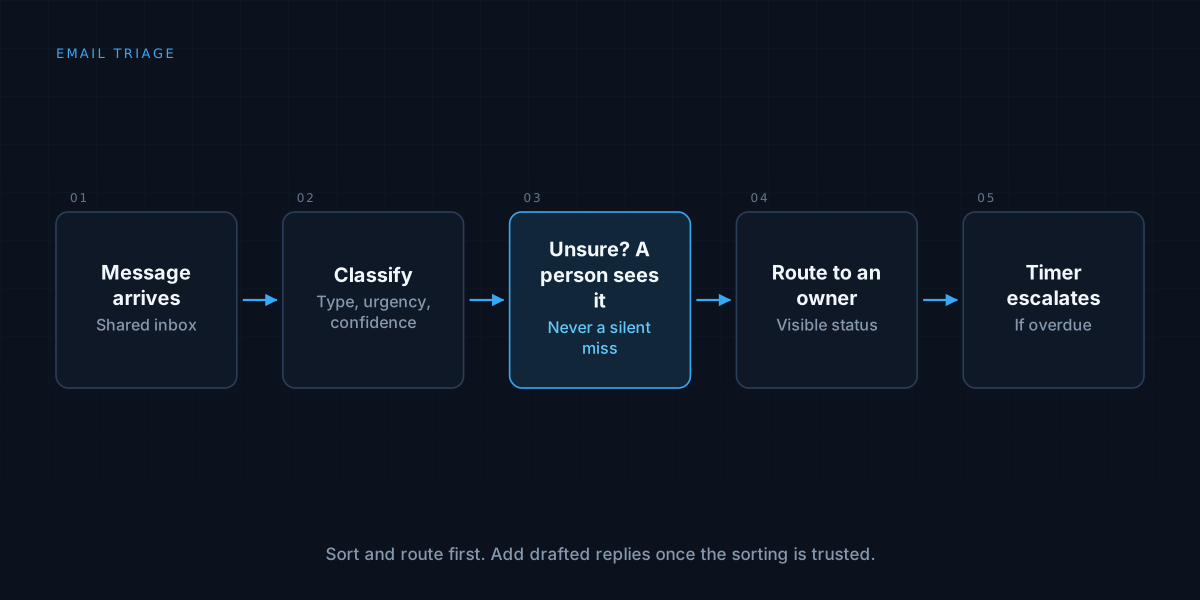
The classification step is where language models are genuinely good, because the categories are fuzzy and the text is messy. A small, cheap model can read a message and assign a category, an urgency level, and a confidence score.
What matters is what happens when it is unsure. Low confidence should never mean “guess and move on.” It should mean the message goes to a person, in a visible queue. The same principle runs through automating document processing: confident and clean goes straight through, and anything uncertain takes a slower, more visible path.
Separate sorting from acting
Sorting is low risk, since a wrong label can be corrected. Replying, forwarding, or deleting is not. Keep these apart, and automate them at different speeds.
Early on, let the system label, prioritise, and route, and nothing else. Once the sorting is trusted, add drafted replies for the routine categories, reviewed by a person. Only after that, consider sending specific kinds of reply automatically, such as an acknowledgement that a request was received. Each step is justified by the record of the one before, the graduated approach described in human-in-the-loop AI agents.
Route to people, not just to folders
A label is only useful if it ends up with someone. Define ownership clearly: which categories belong to which person or team, what happens when that person is away, and how an unowned message is escalated.
Assignment should be visible, so two people do not both pick up the same message and nobody wonders whether a message is being handled. A simple status such as new, assigned, waiting on customer, and resolved prevents most of the duplication and dropped threads.
Watch for deadlines and silence
Some of the most important signals are not in a message but in its absence. A customer who has not had a reply in a day, a supplier who promised something by Friday, a thread that went quiet in the middle of a negotiation.
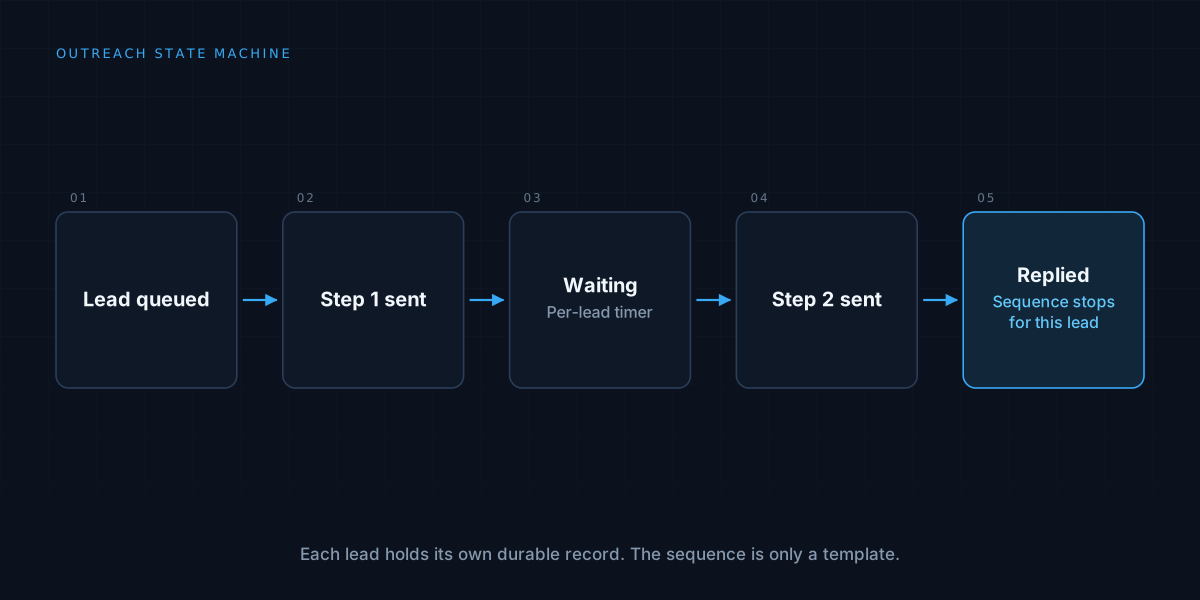
Build in timers. If a message in a given category has not been answered within its target time, escalate it. This is the same pattern as per-lead scheduling in email outreach at scale: state and time drive the next action, and the system acts when something is overdue instead of waiting to be asked.
Draft replies from your own material
For routine requests, a drafted reply saves real time, but it should be grounded in your actual answers: templates, policies, past replies, and the facts about the customer’s account. A draft that invents a policy is worse than no draft.
Show the person the draft alongside the original message and the sources it used, make editing easy, and record what they changed. Frequent edits to a category tell you the drafts are not ready for it.
Handle the awkward cases deliberately
Real inboxes contain threads that span many messages, replies to old conversations, auto-generated bounce messages, out-of-office replies, and messages in several languages. Each of these needs a defined behaviour. Group messages into threads so the system sees the whole conversation, ignore automated replies for the purposes of “has the customer answered”, and make sure language is detected before classification, not after.
Be careful with anything sensitive. Messages may contain personal or confidential information, so restrict who and what can read the inbox, and keep an audit trail of what the automation did, in the spirit of audit logs.
Measure the right things
Count time to first response, how long messages wait unassigned, the share of messages the system routed correctly, the share a person had to re-route, and how many urgent messages were missed. That last number is the one to watch, and it should be reviewed by sampling, because by definition nobody noticed the misses.
When it is not worth it
A single person managing a modest inbox may be better served by a few filters and a habit. The value grows with volume, the number of people sharing the inbox, and the cost of a missed message. Start with sorting and routing, prove it, and add drafting once the foundations are solid.
We build the sorting and routing layer that keeps shared inboxes under control. See how we approach workflow automation, or read about choosing between no-code and custom automation.