Audit Logs and Compliance Basics: Recording Who Did What, and When
An audit log is a record you hope never to need and cannot recreate afterwards. What to capture, how to protect it, and how much compliance a product really needs.
Most products start without an audit log, and most add one under pressure: a customer asks who changed a record, a security review asks for evidence, a dispute needs a timeline. By then the history they want does not exist, because nothing was recording it.
An audit log is unusual in that its value is entirely in the future and entirely in the cases you hoped would never happen. It cannot be reconstructed afterwards, so the decision to keep one has to be made before you need it.
What an audit log is
It is a durable record of who did what, to what, and when. Not application debugging output, and not general analytics. It is a specific, structured history of actions that matter: changes to data, access to sensitive records, changes to permissions, and security events.
The distinction matters because the two serve different readers. A debug log helps a developer fix a bug and can be noisy and short-lived. An audit log helps someone answer a question about the past with confidence, so it must be accurate, complete for its scope, and kept.
What to record
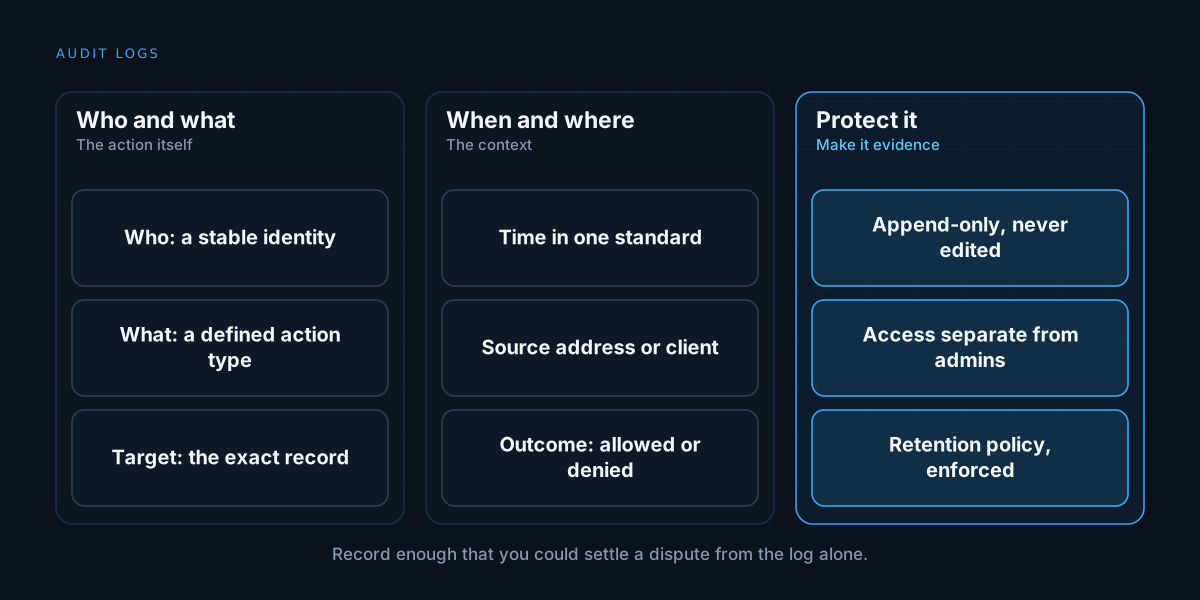
Each entry should answer a handful of questions. Who acted, as a stable identity and not just a display name. What they did, as a defined action type. What it affected, identified precisely. When it happened, in a consistent time standard. And where it came from, such as the source address or the client.
For changes, the before and after values are what make the log genuinely useful, because they show what actually changed instead of only that something did. Record the outcome as well, including attempts that were denied, since failed access is often the most interesting entry.
Be selective about the scope. Logging every read of every record produces noise and storage cost. Focus on actions with consequences: writes, deletions, exports, permission changes, sign-ins, and access to sensitive data.
Make it append-only
The log is only trustworthy if it cannot be quietly altered. Entries should be added and never edited or deleted by ordinary application code. Corrections are made by adding a new entry that supersedes the old one, which preserves the history of the mistake.
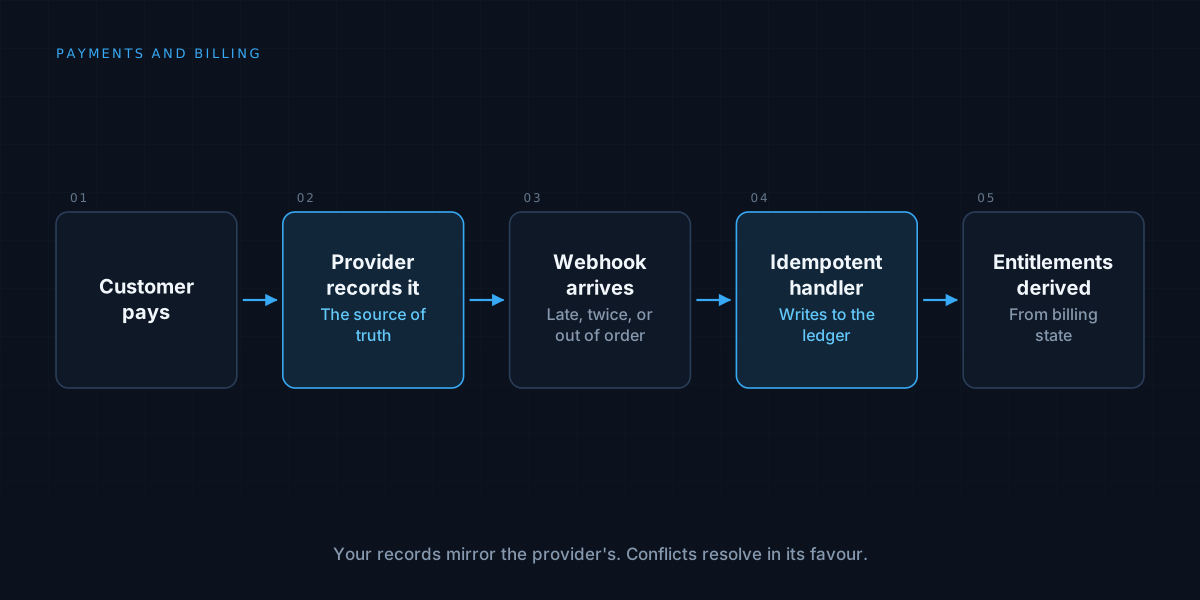
The same instinct applies to billing, where an append-only ledger of events beats a mutable status field, as discussed in payments and billing architecture. Immutability is what turns a record into evidence.
Protect it from the people it describes. Those who can change the system should not also be able to rewrite its history. Separate access, restrict write paths, and consider storing the log somewhere the main application cannot modify.
Tie it to identity and tenancy
An audit log is only as good as the identities in it. That means real, individual accounts instead of shared logins, and a clear distinction between people and automated actors. If an agent or a background job acts, record that, and record on whose behalf it acted.
Where a product serves multiple customers, every entry belongs to a tenant, and customers should be able to see their own history without seeing anyone else’s. Retrofitting that is hard, which is why tenancy belongs in the design from the start, as covered in multi-tenant SaaS architecture.
Decide retention and privacy deliberately
How long to keep entries is a real decision. Longer is better for investigations and for regulatory expectations, but logs can themselves contain personal data, and privacy rules may limit how long that is kept or require that it be removable.
Decide a retention period per category of data, document it, and enforce it. Avoid putting more personal data in entries than is necessary: reference a record by identifier instead of copying its contents where you can. Control who can read the log, because it often shows sensitive activity.
Compliance is a spectrum
Compliance frameworks and regulations differ widely, and which apply depends on your industry, your customers, and where you operate. Some set specific logging requirements. Many customers will ask for evidence of access control and change history as part of buying.
You do not need to pursue a formal certification on day one. But a handful of basics cover a great deal of what is asked: individual accounts, access limited to what each role needs, an append-only record of consequential actions, backups that are tested, and a documented process for handling incidents. Check the requirements that actually apply to you, and take advice where the stakes justify it, because this article describes engineering practice and not legal guidance.
Make the log usable
A log nobody can search does not help. Index it by actor, by record, and by time, and provide a way to export it. Consider showing customers an activity view of their own account, which builds trust and cuts support requests. Alert on unusual patterns, such as bulk exports or repeated denied access.
How much is enough for an early product
For a small internal tool, a simple append-only table of changes with actor, action, target, and time is a large improvement on nothing. For a product handling customer data or money, build it properly and early, because it is far cheaper to record from the start than to wish you had. Scale the rigour to the stakes, and begin before the first dispute.
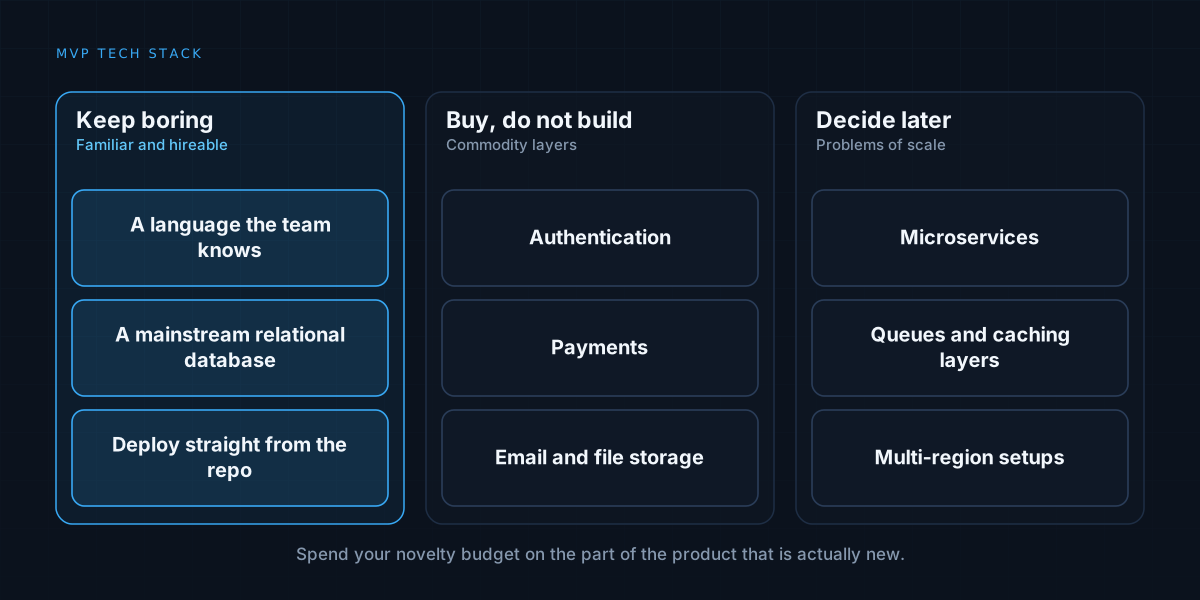
We build products that can explain their own history. See how we work on applications, or read about choosing a tech stack for an MVP.